BlueCapture BluePIR v1.2 j2me s60v3

http://www.esolar.dk/BlueCapture_start_BluePIR_s%F8ger.jpg
BlueCapture BluePIR v1.2 j2me s60v3

With BlueCapture and BluePIR you can make WORLDWIDE surveillance instantly
* You can get MMS-photo immediately sent to the mobile phone you carry
* You can alert the police quickly if the MMS-photo shows something not supposed to happen
* A thief has very little chance as his photo has already been sent out
Other uses:
* Use it in your mailbox to check if you got mail
* Hide it in your kitchen to protect the chocolate-cake from the kids or someone who should be kept on a diet.
* Use it in your car and be alerted if a theif breaks into it
* Use it in your cellar to keep those crazy teenagers away from your beer and wine


READ MORE AND DOWNLOAD

StyleTap Launcher v0.9.33 S60v3/v5 S^3 UIQv3 SymbianOS 9.x

http://img227.imageshack.us/img227/504/styletaplauncher.gif
StyleTap Launcher v0.9.33 S60v3/v5 S^3 UIQv3 SymbianOS 9.x

StyleTap Platform allows you to run applications (and games!) originally written for Palm OS handhelds on your Symbian device.
Here are some key features of "StyleTap Platform (Symbian)":
* Supports most of the thousands of application programs written for the Palm OS 5.2 platform and earlier versions.
* StyleTap Platform is fast, compact and comes with everything you need to get going.
* On the latest smartphone devices, StyleTap Platform takes full advantage of high density VGA screens for maximum readability.
* StyleTap for Symbian includes a "virtual double density" enhancement that significantly improves the readability of screens scaled to fit the hardware display.
* Works great with standard size smartphone screens too.
* Unique backwards compatibility features enable both older and newer programs to perform direct screen updates.
* Runs on StyleTap applications have been certified by their developer to run on the StyleTap platform.
Requirements:
* Symbian S60 3rd/5th Edition
* Symbian UIQ3
* Symbian^3
What's New in This Release:-
New Features:
* basic support for Symbian^3 devices (tested on the N8 Myself )
Fixes:
* fix bug preventing desktop StyleTap Application Installer from working correctly
Release Type:-
* No Need To Register.


READ MORE AND DOWNLOAD

Emoze Pro v2.03(15) S60v3 SymbianOS9.x Signed

http://img709.imageshack.us/img709/4144/peoplex.png
It is no longer necessary to be a CEO or VP to enjoy the benefits of real-time email like BlackBerry's Email Service. Emoze is for everyone.
Select the optimum mobile device for your needs, install emoze, add your office account, your personal account and even your social media messaging (like Facebook). Simple and user-friendly, emoze is network and mobile operator independent and can be downloaded to just about any mobile device available. Never worry about security with emoze. All data transmissions are compressed and encrypted to protect privacy and emails are never sent to a third party server. Emoze pushes data only to your mobile device when it is open and ready to receive. All data is fully synchronized with your PC so your data is never lost or corrupted.

http://farm5.static.flickr.com/4010/4417150738_b82f1b1824.jpg
Emoze Pro v2.03(15) S60v3 SymbianOS9.x Signed

Features:
* Configure multiple accounts on a single handset
- Outlook
- Gmail
- Hotmail
- Facebook messaging
- Your own home or ISP email account
- OWA Corporate email
* Manage all your email accounts on the GO
- Send and receive email
- Reply, forward and save to drafts
- Receive, View, Send and Download attachments up to 2MB
* Each email account is identified by its own icon.
* Each email account has its own inbox
* Create folders and save mail from any account to a folder


READ MORE AND DOWNLOAD

TTPod v4.00 Beta2 S60v3/v5 SymbianOS9.x Unsigned

http://i265.photobucket.com/albums/ii238/kienvp/Kienvp0075-2.gif
TTPod v4.00 Beta2 S60v3/v5 SymbianOS9.x Unsigned

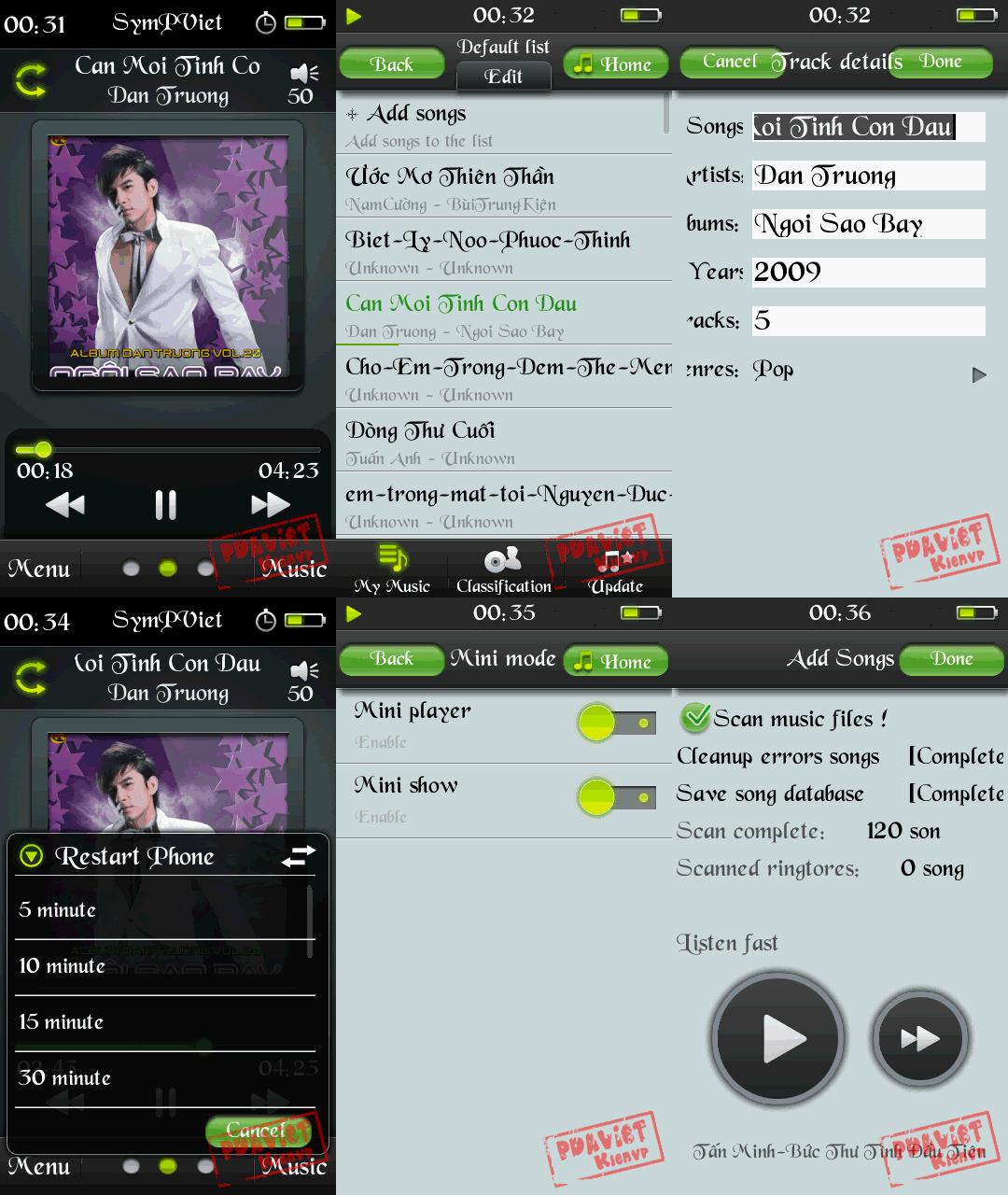
Second beta version of powerful music player, now with S^3 devices support!
Key features:
* Full support for S^3 and S60v5 devices
* Special interface for control using touch screen
* Supported formats: MP3, AAC, WMA and M4A
* Built-in equalizer
* Sound fade, stereo widening and bass boost effects
* Support for skins and visual effects
* Ability to download songs, album covers and lyrics
* Online access to music charts
* Sleep timer
* Mini-player in background mode
and many more features...
What's new:
* Resolved problem with inability to run the program on some models
* Optimized ID3 tags editor, improved scanning speed
* Fix bug with random mode
* Optimized displaying lyrics and tips
* Resolved problem with inability to close the app using task manager
* Fixed scanning problems
* Improved performance and switching speed
* Optimized volume difference between MP3, WMA and M4A
Note : Install TTPOD Patch To Run TTPOD


READ MORE AND DOWNLOAD

Mobileways Gravity v1.50.6695 S60v3

http://sub3.rofof.com/img4/02ysofx1.jpg
Mobileways Gravity v1.50.6695 S60v3

Gravity is the first fully-featured and native Twitter client for the S60 platform. It supports multiple accounts, Twitter Search, Laconica, Ping.fm, posting of pictures via MobyPicture & TwitPic and wraps everything into a gorgeous looking interface.
Overview of Gravity’s Features:
* Compatible with Twitter and Laconica
* All functions available on your S60 phone: tweet, reply, retweet, DM, follow & unfollow, block, create favourites, search, auto-update and many more …
* Tabbed view of your Timeline, Replies, Messages, Friends, …
* Profile View to see information about a Twitter User
* Configurable Audio Alerts for Timeline/Replies/DM’s & Searches
* Auto-Connect to any Access Point and Auto-Fallback to WLAN
* Setup and use as many accounts as you want at the same time
* Group support for creating custom tabs with user-defined filters
* Post URLs from tweets to del.icio.us or Instapaper
* Twitter-Search section with multiple search tabs and Twitter Trends
* Post pictures to MobyPicture, TwitPic, TwitGoo, Posterous, Yfrog or img.ly
* Preview pictures from MobyPicture, TwitPic, TwitGoo, Posterous, Yfrog, img.ly, Plixy, Instagram
* Ping.fm support by simply sending “p message” or “p #group message”
* Open URLs from any Tweet
* Kinetic scrolling on S60v5 ( Nokia 5800 and Nokia N97 )
* Theme support ( fixed dark and bright theme )
* Full-Screen mode
* Includes a Homescreen Widget for the Nokia N97
* Built-in auto-update function and beta access for testing the latest features


READ MORE AND DOWNLOAD

m Audiobook Player v0.52 Beta S60v3 SymbianOS 9.x

http://img440.imageshack.us/img440/3750/maudiobookplayer.gif
m Audiobook Player v0.52 Beta S60v3 SymbianOS 9.x

About:
An audiobook player for Symbian S60 and UIQ smartphones.
Written by Panagiotis Karagiannis
Features:
Can play any audio format the phone supports.
It can play a folder with audio files. No need for audiobook preparation.
Stops playing when a phone call is active.
Stops when alarm or other phone function blocks the audio output.
Remembers the last played book and opens it at program start.
Remembers the chapter and position for all audiobooks.
Exits automatically when for 1 hour is stopped, to free up phone resources.
Displays not only chapter size but also audiobook size and position.
It can stop, start, etc. even when the keyboard is locked (my favorite while jogging!). Ready for S60 but needs some work on UIQ3
Supports multiple platforms (S60,UIQ3 and more).
Performs some sanity tests in order to avoid crashes.(Not ready yet).
Relatively small memory usage (about 150kb on S60v3).
Lacking features:
Lack of a settings page. I don't know how to do it in mShell (ui.form can only display very sort words, let alone phrases). I hope the default settings are ok for most users. Ok if there are people out there interested, I will try again
No sophisticated graphics, just text. I didn't spend time on this. On the other hand the necessary info is displayed, and the fonts are easily readable.
No support for additional audio formats. The audio files must be supported by the cellphone. This is not a big problem as .amr .mp3 (UIQ3 and S60 ) and .awb (S60) do the job.
I believe the code is a mess. I didn't try to follow any coding rule or style and the code grew bigger than I expected, mainly because I added functionality on the go. Also my inexperience in mShell played a role on the final (messy) result. I will try in the future to improve code readability.
No Internationalization, english only.
No bookmarks. I don't really believe this is a usefull feature but if some people want it, I will add it.
At the moment the Red key kills the program before it has a chance to save the position
How to prepare/install audiobooks:
If your audiobook is a folder with mp3 files, transfer it to your phone to X:\audiobooks\ where X is your memory card. If this method works for you, stick with it. In practice however there can be several problems. At first, the size of the audiobook can be huge, so you maybe want to reduce its size, especialy if you like to have a lot of audiobooks at the same time to your phone. How to use it:
Leftkey and 1: back 10 sec
Rightkey and 3: forward 10 sec
Upkey and 2: raise volume
Downkey and 8: lower volume
4: back 1 min
6: forward 1 min
Gokey and 5: play/pause
Backspace (c on UIQ3) quit the program
from the menu you can change the audiobook played.


READ MORE AND DOWNLOAD
eXTReMe Tracker