LCG Jukebox v2.43 S60v3 S60v5


LCG Jukebox was designed to fulfill all needs of music fan using a mobile device. That means mainly excellent music quality with clear information of current playback, convenient playlist management and easy selection of desired music album.
Additionally it offers something more than that - it can search Internet for information related to your songs and albums - CD Album image, which can be associated with particular album and displayed every time a song of the album is played, as well as searching Internet for lyrics of played song and display them during playback.
Features:
* High quality stereo playback (if device supports stereo)
* Mp3 and Ogg music formats
* Fine volume control - 100 levels from silence to loudness
* Sleep timer letting you to fall asleep with your music
* 10-band equalizer with several presets
* Playlist editor - add, remove, save, load, order your songs
* Customizable colors
* Album image search on Internet
* Lyrics search and display
* Playback in normal or random order
* Mini mode displayed on phone idle screen
Installation Note:
- install LCG Jukebox v2.43
- you will get two LCG Jukebox v2.43 icons one working and other not
- this is full version and no limit you can check by updating it.
PS: please turn off the automatic update of this program.
Repacked version supports All languages. English is Default


READ MORE AND DOWNLOAD

3D Games S60v3 Collection


Here is a little pack of 3D S60v3 games. I tested all games on 240x320 and working correctly. Have fun.
Symbian:
1.Tombraider Legend.sisx
2.BrothersInArms3D.Symbian OS9 - 240x320.sis
3.EA.Mobile.FIFA.09.v1.0.1.S60v3.SymbianOS9.1.sis
4.Vivendi.Games.Crash.Bandicoot.Kart.3D.v0.9.0.S60 v3.SymbianOS9.1.sis
Java:
1.ExtremeAirSnowbord3DS60.jar (It's really nice too but symbian is the best)


READ MORE AND DOWNLOAD

Nokia Messaging v10.1.0.13 S60v5


What is Nokia Messaging?
This update brings HTML.
Nokia Messaging makes mobile email easy and mobilizes consumer email across a range of Nokia S60 devices. Nokia Messaging enables users to quickly set up, access, and use their email on their Nokia devices through a service that is optimized for mobile email.
What's new in this release of Nokia Messaging?
Support for Windows Live Hotmail email addresses
Support for HTML-formatted emails
Advanced email server settings configuration on http://email.nokia.com
Support for 18 S60 devices in 17 languages
Client and service performance improvements
How much does Nokia Messaging cost?
Nokia Messaging is currently provided on a trial basis. In the future, consumers will be able to acquire Nokia Messaging through an operator plan. You may incur charges in connection with the transfer and receipt of data to your mobile phone and may not be included in your flat data rate plan. Please contact your operator to know how much you will be charged.
How much does the Nokia Messaging cost when I am roaming?
Because data transfer costs may apply, you may choose to suspend email delivery when you leave your network area to prevent unexpected charges. Sync while roaming is disabled by default. Follow the below steps if you want to enable email delivery outside your network area.
To enable email delivery while roaming:
Select the Edit Settings icon from the Nokia Messaging client on your Nokia phone.
Select When to Sync.
Set Sync While Roaming to On.
Consult your operator for more information about data transfer costs.
GETTING STARTED:
How do I set up Nokia Messaging on my Nokia phone?
To sign up for Nokia Messaging, you need:
An existing Internet email account
A data service plan with your operator
A supported Nokia phone
Nokia Messaging software installed on your Nokia phone
Click here to sign up. To ensure reliable delivery of the Installation SMS, Nokia Messaging sends two text messages. You can use either text message to download and install Nokia Messaging.
Does my phone already have Nokia Messaging?
Depending on the model and/or firmware version of your Nokia device, you may have Nokia Messaging preloaded on your device. If you are in a country where Nokia Messaging is available, the E-Mail setup application on your phone will setup your email address within Nokia Messaging. As an alternative, you can sign up for Nokia Messaging at email.nokia.com.
Why do I have to give you my mobile number?
Your phone number is required to send your phone a text message (SMS) with a link to the Nokia Messaging software. The link in the text message lets you download and install the software directly on your phone.
Nokia does not use your mobile number except in accordance with our Service Terms and Privacy Policy.
Why do I have to give you my email password?
Nokia Messaging automatically fetches your email messages from your email account as new email arrives. To access your email, Nokia Messaging needs your user name and password.
Nokia does not use your password except in accordance with our Service Terms and Privacy Policy.
What if I am already receiving email on my phone?
Nokia Messaging can run on your Nokia phone alongside most other email solutions without any problems.
However, if you are using Nokia Intellisync Mobile Suite, you must uninstall this product before using Nokia Messaging.
To uninstall Nokia Intellisync Mobile Suite:
Select the Menu button on your Nokia phone.
Select Installations.
Highlight the Intellisync icon.
Select Options> Remove.
How am I notified of incoming email in Nokia Messaging?
When a new email arrives, you are notified with the email alert tone and/or vibration, and the @ sign appears in the menu bar. E-Series devices also display the subjects of the latest received messages on the home screen.
Can anyone intercept and read my email as it travels over the wireless network?
No. Your email is encrypted through SSL (Secure Sockets Layer) as it travels over the wireless network, to prevent unauthorized access.
Can I receive calls on my mobile phone when I am receiving email?
Yes. You can make and receive phone calls while Nokia Messaging is running.
HOW DO I...
How do I add or remove IMAP folders to sync?
Log into your account on email.nokia.com.
Select the Edit settings link next to an email address for which you would like to sync additional folders. If the email account uses the IMAP protocol, you can select more folders to sync.
Select the folders you would like to sync and save your changes.
Flag a message for follow up?
In the inbox highlight the message you want to flag.
Select Options and navigate to More
Choose Follow up and your message will be flagged.
How do I view HTML email in Nokia Messaging?
Messages with HTML formatting will be automatically displayed in Nokia Messaging. If there are images in the email you want to view, click on Show Graphics in the header of the email. HTML formatted emails use more data, please be aware that you may incur charges from your operator in connection with the transfer and receipt of data to your mobile phone. You can change the setting so that emails open as plain text by default. HTML emails can be viewed only on S60 Feature Pack 1 and Feature Pack 2 devices.
To request another SMS message with the link to the Nokia Messaging software:
Log in to your account on email.nokia.com.
Select Install now.
Enter the phone number of the Nokia phone on which you want to have Nokia Messaging. Two new SMS text messages are sent to the phone number you entered. You can use either text message to download and install Nokia Messaging.
How do I add or remove an email address on email.nokia.com?
To add an email address:
Log into your account on email.nokia.com.
Under My email addresses, select Add another.
Enter the email address and password.
Select Next.
To remove an email address:
Log into your account on email.nokia.com.
Under My email addresses, select Remove for the address you want to remove.
On the next page, select Remove again.
How do I add or remove an email address on my Nokia phone?
To add an email address:
From the Email launcher screen on your device, select Options.
Select Add mailbox.
To remove an email address:
From the Email launcher screen on your device, select the Settings icon.
Scroll to the account you want to remove.
Select Options-Remove mailbox.
Select Yes.
How do I change the password to my Nokia Messaging account?
To change the password to your Nokia Messaging account:
Log in to your account on email.nokia.com.
Under My Nokia Messaging account, select Change next to Password.
Enter your old password and your new password.
Select Save password.
How do I update the password for an email address I use with Nokia Messaging?
If you change the password to an email address with your email service provider, you need to update the password in the email address settings of your Nokia Messaging account so that you continue to receive email from that address.
To change the password for an email address:
Log in to your account on email.nokia.com.
Under My email addresses, select Edit settings for the address you want to change.
On the next page, click the Change password button.
On the next page, enter the new password.
Select Save changes.
How do I stop receiving email on my mobile phone?
To temporarily stop email delivery on your phone:
Open the Email launcher screen on your device.
Select Options.
Select Offline.
TROUBLESHOOTING...
I am having trouble setting up email on my Nokia device.
Nokia Messaging allows you to set up your email address on your Nokia device using only your email address and password. In some cases, the settings configuration process is unable to determine the settings for your email provider and requires additional information. If you encounter an error setting up your email on your Nokia device, go to email.nokia.com on your computer to create a new account or add an email address to your existing Nokia Messaging account.
I have not received the SMS message yet. What do I do?
To request another text message with the link to the Nokia Messaging software:
Log in to your account on email.nokia.com.
Select Install now.
Enter the phone number of the Nokia phone on which you want to have Nokia Messaging. A new message is sent to the number you entered.
If you're having trouble receiving the SMS message, you can use the Web browser on your phone to directly download the software.
On your phone's web browser, go to: email.nokia.com
Select the button to download the Nokia Messaging software.
Follow the instructions on the phone to download and install the software.
Enter your email address and password.
Select Automatic if asked how you want your mail delivered.
If you are unable to receive the text message and are in a country where Nokia Messaging has not launched, your email will be automatically setup within the S60 Messaging application on your device and not in the Nokia Messaging client.
How far back in time can I save my email using Nokia Messaging?
You can store email messages for up to one month with Nokia Messaging. Those messages are stored in the device memory of your phone, so you may wish to change the amount of stored messages in the settings on your device.
Go to the Email launcher
Select the Settings icon.
Select What to sync.
Select Inbox.
Select Remove older than and change to desired value.
When you initially set up Nokia Messaging you will receive email from the last three days, then automatic delivery of new email will begin. Old email is stored to the value you set in the Settings menu.
I can't sign up with my Google Apps email address
You may need to authenticate with Google's system before you can sign up for Nokia Messaging. To do this:
On the computer you're using now, go to https://www.google.com/a/yourdomain.com/UnlockCaptcha, where "yourdomain.com" is your own domain name.
Enter the requested information (email user name and password, plus the letters in the distorted picture).
Now on this computer, begin the Nokia Messaging sign up process again.
I set up my Nokia Messaging account with my Windows Live Hotmail email address, but I am not receiving any email.
Windows Live Hotmail requires the latest Nokia Messaging phone software. You may be using an older version of the software. Point your phone browser to email.nokia.com and download the software from there. After you install the new version, the Nokia Messaging software will automatically launch. Click the Sync button to begin receiving your Windows Live Hotmail.
My mobile phone displays an error message about not being able to connect to the Internet. What do I do?
Your access point may be incorrectly defined or your mobile phone may be out of network coverage. An access point is a setting your mobile phone uses to connect to the Internet. You can change what access point Nokia Messaging uses within the Settings.
Ensure that your phone is within network coverage and that your access points are correctly defined. If necessary, you can download new access points from the Settings (in the Tools folder) on your phone.
I get an error message when I try to get my email on my mobile phone in another country. What does this mean?
Nokia Messaging requires Internet connectivity. Most often this error is due to the fact that your operator does not have roaming agreements with operators in that country.
I am not getting email on my mobile phone any more. What do I do?
If your account is active and you are not receiving email on your mobile phone, check for the following circumstances:
You may have changed the password for your Internet service provider email address. If so, you must update the Nokia Messaging settings for this email address with your new password. Email messages will then be delivered to your phone. To update your email address password, log in to your Nokia Messaging account. Under My email addresses, select Edit settings. Click Change password, enter the new password, and then select Save changes.
The server for your email address is down. For more information, contact your email service provider.
You may have inadvertently changed a setting in your Nokia Messaging account. Log in to your account to determine whether your information needs to be updated.
My question was not answered here.
If you need help with Nokia Messaging, please visit Nokia Support and select Contact Us.


READ MORE AND DOWNLOAD

Nokia Messaging v9.6.12 S60v3 SymbianOS9.x


What is Nokia Messaging?
Nokia Messaging makes mobile email easy and mobilizes consumer email across a range of Nokia S60 devices. Nokia Messaging enables users to quickly set up, access, and use their email on their Nokia devices through a service that is optimized for mobile email.
What's new in this release of Nokia Messaging?
Support for Windows Live Hotmail email addresses
Support for HTML-formatted emails
Advanced email server settings configuration on http://email.nokia.com
Support for 18 S60 devices in 17 languages
Client and service performance improvements
How much does Nokia Messaging cost?
Nokia Messaging is currently provided on a trial basis. In the future, consumers will be able to acquire Nokia Messaging through an operator plan. You may incur charges in connection with the transfer and receipt of data to your mobile phone and may not be included in your flat data rate plan. Please contact your operator to know how much you will be charged.
How much does the Nokia Messaging cost when I am roaming?
Because data transfer costs may apply, you may choose to suspend email delivery when you leave your network area to prevent unexpected charges. Sync while roaming is disabled by default. Follow the below steps if you want to enable email delivery outside your network area.
To enable email delivery while roaming:
Select the Edit Settings icon from the Nokia Messaging client on your Nokia phone.
Select When to Sync.
Set Sync While Roaming to On.
Consult your operator for more information about data transfer costs.
GETTING STARTED:
How do I set up Nokia Messaging on my Nokia phone?
To sign up for Nokia Messaging, you need:
An existing Internet email account
A data service plan with your operator
A supported Nokia phone
Nokia Messaging software installed on your Nokia phone
Click here to sign up. To ensure reliable delivery of the Installation SMS, Nokia Messaging sends two text messages. You can use either text message to download and install Nokia Messaging.
Does my phone already have Nokia Messaging?
Depending on the model and/or firmware version of your Nokia device, you may have Nokia Messaging preloaded on your device. If you are in a country where Nokia Messaging is available, the E-Mail setup application on your phone will setup your email address within Nokia Messaging. As an alternative, you can sign up for Nokia Messaging at email.nokia.com.
Why do I have to give you my mobile number?
Your phone number is required to send your phone a text message (SMS) with a link to the Nokia Messaging software. The link in the text message lets you download and install the software directly on your phone.
Nokia does not use your mobile number except in accordance with our Service Terms and Privacy Policy.
Why do I have to give you my email password?
Nokia Messaging automatically fetches your email messages from your email account as new email arrives. To access your email, Nokia Messaging needs your user name and password.
Nokia does not use your password except in accordance with our Service Terms and Privacy Policy.
What if I am already receiving email on my phone?
Nokia Messaging can run on your Nokia phone alongside most other email solutions without any problems.
However, if you are using Nokia Intellisync Mobile Suite, you must uninstall this product before using Nokia Messaging.
To uninstall Nokia Intellisync Mobile Suite:
Select the Menu button on your Nokia phone.
Select Installations.
Highlight the Intellisync icon.
Select Options> Remove.
How am I notified of incoming email in Nokia Messaging?
When a new email arrives, you are notified with the email alert tone and/or vibration, and the @ sign appears in the menu bar. E-Series devices also display the subjects of the latest received messages on the home screen.
Can anyone intercept and read my email as it travels over the wireless network?
No. Your email is encrypted through SSL (Secure Sockets Layer) as it travels over the wireless network, to prevent unauthorized access.
Can I receive calls on my mobile phone when I am receiving email?
Yes. You can make and receive phone calls while Nokia Messaging is running.
HOW DO I...
How do I add or remove IMAP folders to sync?
Log into your account on email.nokia.com.
Select the Edit settings link next to an email address for which you would like to sync additional folders. If the email account uses the IMAP protocol, you can select more folders to sync.
Select the folders you would like to sync and save your changes.
Flag a message for follow up?
In the inbox highlight the message you want to flag.
Select Options and navigate to More
Choose Follow up and your message will be flagged.
How do I view HTML email in Nokia Messaging?
Messages with HTML formatting will be automatically displayed in Nokia Messaging. If there are images in the email you want to view, click on Show Graphics in the header of the email. HTML formatted emails use more data, please be aware that you may incur charges from your operator in connection with the transfer and receipt of data to your mobile phone. You can change the setting so that emails open as plain text by default. HTML emails can be viewed only on S60 Feature Pack 1 and Feature Pack 2 devices.
To request another SMS message with the link to the Nokia Messaging software:
Log in to your account on email.nokia.com.
Select Install now.
Enter the phone number of the Nokia phone on which you want to have Nokia Messaging. Two new SMS text messages are sent to the phone number you entered. You can use either text message to download and install Nokia Messaging.
How do I add or remove an email address on email.nokia.com?
To add an email address:
Log into your account on email.nokia.com.
Under My email addresses, select Add another.
Enter the email address and password.
Select Next.
To remove an email address:
Log into your account on email.nokia.com.
Under My email addresses, select Remove for the address you want to remove.
On the next page, select Remove again.
How do I add or remove an email address on my Nokia phone?
To add an email address:
From the Email launcher screen on your device, select Options.
Select Add mailbox.
To remove an email address:
From the Email launcher screen on your device, select the Settings icon.
Scroll to the account you want to remove.
Select Options-Remove mailbox.
Select Yes.
How do I change the password to my Nokia Messaging account?
To change the password to your Nokia Messaging account:
Log in to your account on email.nokia.com.
Under My Nokia Messaging account, select Change next to Password.
Enter your old password and your new password.
Select Save password.
How do I update the password for an email address I use with Nokia Messaging?
If you change the password to an email address with your email service provider, you need to update the password in the email address settings of your Nokia Messaging account so that you continue to receive email from that address.
To change the password for an email address:
Log in to your account on email.nokia.com.
Under My email addresses, select Edit settings for the address you want to change.
On the next page, click the Change password button.
On the next page, enter the new password.
Select Save changes.
How do I stop receiving email on my mobile phone?
To temporarily stop email delivery on your phone:
Open the Email launcher screen on your device.
Select Options.
Select Offline.
TROUBLESHOOTING...
I am having trouble setting up email on my Nokia device.
Nokia Messaging allows you to set up your email address on your Nokia device using only your email address and password. In some cases, the settings configuration process is unable to determine the settings for your email provider and requires additional information. If you encounter an error setting up your email on your Nokia device, go to email.nokia.com on your computer to create a new account or add an email address to your existing Nokia Messaging account.
I have not received the SMS message yet. What do I do?
To request another text message with the link to the Nokia Messaging software:
Log in to your account on email.nokia.com.
Select Install now.
Enter the phone number of the Nokia phone on which you want to have Nokia Messaging. A new message is sent to the number you entered.
If you're having trouble receiving the SMS message, you can use the Web browser on your phone to directly download the software.
On your phone's web browser, go to: email.nokia.com
Select the button to download the Nokia Messaging software.
Follow the instructions on the phone to download and install the software.
Enter your email address and password.
Select Automatic if asked how you want your mail delivered.
If you are unable to receive the text message and are in a country where Nokia Messaging has not launched, your email will be automatically setup within the S60 Messaging application on your device and not in the Nokia Messaging client.
How far back in time can I save my email using Nokia Messaging?
You can store email messages for up to one month with Nokia Messaging. Those messages are stored in the device memory of your phone, so you may wish to change the amount of stored messages in the settings on your device.
Go to the Email launcher
Select the Settings icon.
Select What to sync.
Select Inbox.
Select Remove older than and change to desired value.
When you initially set up Nokia Messaging you will receive email from the last three days, then automatic delivery of new email will begin. Old email is stored to the value you set in the Settings menu.
I can't sign up with my Google Apps email address
You may need to authenticate with Google's system before you can sign up for Nokia Messaging. To do this:
On the computer you're using now, go to https://www.google.com/a/yourdomain.com/UnlockCaptcha, where "yourdomain.com" is your own domain name.
Enter the requested information (email user name and password, plus the letters in the distorted picture).
Now on this computer, begin the Nokia Messaging sign up process again.
I set up my Nokia Messaging account with my Windows Live Hotmail email address, but I am not receiving any email.
Windows Live Hotmail requires the latest Nokia Messaging phone software. You may be using an older version of the software. Point your phone browser to email.nokia.com and download the software from there. After you install the new version, the Nokia Messaging software will automatically launch. Click the Sync button to begin receiving your Windows Live Hotmail.
My mobile phone displays an error message about not being able to connect to the Internet. What do I do?
Your access point may be incorrectly defined or your mobile phone may be out of network coverage. An access point is a setting your mobile phone uses to connect to the Internet. You can change what access point Nokia Messaging uses within the Settings.
Ensure that your phone is within network coverage and that your access points are correctly defined. If necessary, you can download new access points from the Settings (in the Tools folder) on your phone.
I get an error message when I try to get my email on my mobile phone in another country. What does this mean?
Nokia Messaging requires Internet connectivity. Most often this error is due to the fact that your operator does not have roaming agreements with operators in that country.
I am not getting email on my mobile phone any more. What do I do?
If your account is active and you are not receiving email on your mobile phone, check for the following circumstances:
You may have changed the password for your Internet service provider email address. If so, you must update the Nokia Messaging settings for this email address with your new password. Email messages will then be delivered to your phone. To update your email address password, log in to your Nokia Messaging account. Under My email addresses, select Edit settings. Click Change password, enter the new password, and then select Save changes.
The server for your email address is down. For more information, contact your email service provider.
You may have inadvertently changed a setting in your Nokia Messaging account. Log in to your account to determine whether your information needs to be updated.
My question was not answered here.
If you need help with Nokia Messaging, please visit Nokia Support and select Contact Us.

Nokia Messaging FP2
Free Download
Or
Free Download


Nokia Symbian S60V5
Free Download
Or
Free Download

READ MORE AND DOWNLOAD

All U Need To Run All Python Application In One SIS File

Python v1.4.5 + PythonScriptShell + ExtraPowerModulePack v3.80 Mod ArabPDA
What's new?
1- Python 1.4.5 + PythonScriptShell 1.4.5 and ExtraPowerModulePack v3.80
2- Ability to run all Python Programs even the new ones
3- Just remove any Python before install this
4- Tested on 6120c , N73 , N95, N82, N96 and working smoothly


READ MORE AND DOWNLOAD

X-Plore v1.34 - Best File Maneger + Patch

Features:
* View all drives / folders / files on phone in tree view
* Integrated text and image viewer
* View file details
* Edit file attributes (hidder, read-only, etc)
* Rename and delete files
* Create or edit text files
* Create folders
* Multi-selection
* Copy or move files and folders
* Send files by Bluetooth or Infrared
* Extract files from Zip, Rar, Jar archives
* Pack files to Zip archive
* View Word documents
* Hardware device info
* View processes and tasks
* Built-in program update
* Viewing, saving files in Messagning folders
* Hex viewer and editor
* Search files
* Folder hotkeys
Just Setup x-plore then setup Patch
Note- in case the program stops working suddenly. just once open the version with 3 sec limit and close it, then the cracked version will start working again.


READ MORE AND DOWNLOAD

Sex Party S60v3 S60v5 18+ 240x320 J2me ML


Arrange male and female blocks to fitting positions,in order to break them away.Timing is crucial.Combos will increase your points and help you to reach the next stage faster.


READ MORE AND DOWNLOAD

Snood Blaster v1.2.3 240x320 J2me S60v3

Snood Blaster takes the hugely popular game for PC and Mac, and adapts it with some exciting enhancements for the mobile platform. Clear the levels by ing away Snoods by matching the same colours to remove them from the field. The new metagame "House of Snoods" puts you in the role of landlord, and adds another dimension to the game by linking the levels you choose to play. This combined with the addictive nature of each level makes the game even harder for you to put down!


READ MORE AND DOWNLOAD

X-Mix : Teresa v1.0.4 S60v3 18+ 240x320 Java Game

X-Mix is a logic game in which you must solve the puzzle to view shots of the model. The aim is to complete all seven levels within a certain time to open different poses of the girl in the gallery. X-Mix has two different playing modes: Slide: Place the cursor over the image piece, and move the piece to an empty place using the button
Select". Swap: Place the cursor over the desired piece and select it using the button
Select", then move the cursor to another piece and press the
Select" button again
the pieces will change places.**


READ MORE AND DOWNLOAD

Lexulous Crossword 320x240 Java Game

Sorry No Scrrenshot

Lexulous Crossword Game
by: Lexulous
Lexulous is a fun crossword game that has been played by more than 5 million people from across the world! You get 8 letters to make words with on a 15x15 board. Use the premium squares to score BIG! For 2-4 players. You can play with your Facebook friends, in solitaire mode, or against LEX the Robot. You can also use this app to access any existing games on Facebook! As each game is different, Lexulous is always fun and your vocabulary keeps improving!
RETAIL VERSION - BOUGHT FOR MY NOKIA E63. Tested and should also work on an E71 or any other Java capable phone. My guess is this version works for the QVGA (320x240) resolution, but give it a try and see if it works on any other resolutions and phones.
Password: ceruleanchalice


READ MORE AND DOWNLOAD

Blood+ S60v5 Java Game

Blood + S60v3 S60v5 ML J2me
The year is 2005. Okinawa, Japan.
Otonashi Saya is a normal high school girl who lives happily with his family, except for the fact that he has no memory of his life beyond the year. But when a violent encounter with a peaceful life destroys Chiroptera, Saya soon awakens to his destiny in an epic struggle that will decide the fate between humans and the chiropterans ...
* 7 epic boss battles.
Language: Multilenguaje.


READ MORE AND DOWNLOAD

Zeus Quest S60v5 Games


Zeus Quest S60v5 Games
Zeus Quest is a brand new, huge and funny adventure game with gorgeous cartoon graphics*. The humor reminds us the old classic adventures games by sierra and Lucas.
The plot is crazy! You are Zeus the boss of Olympus which comes back to earth to save the planet. Everything is happening at the classical ancient Greek period (1000-300bc) but you have the chance of switching ages though a time machine...
Visit many Aegean islands including: Santorini, Delos, Mykonos, Milos, Karpathos and Crete. Solve many riddles, play some mini games, interact with ancient Greek mythology characters with hilarious dialogs and at the end? try to save the planet!
FEATURES:
* Play over 50 different places on the Greek islands.
* Interact with many funny characters from the Greek Mythology.
* Play many mini games.
* Day ? night conditions and hidden extras.
* Translated into 6 languages.
* Brilliant high resolution cartoon graphics.
* Compatible with most of the platforms and phones.
The game is fully translated into several languages:
English
German
Greek
Italian
French
Spanish


READ MORE AND DOWNLOAD

Need For Speed Shift S60v3 S60v5 Games

EA Mobile Need For Speed Shift ML S60v3 S60v5 Games
Need for Speed SHIFT is an award-winning authentic racing game that combines the true drivers experience with real-world physics, pixel-perfect car models, and a wide range of authentic race tracks. Need for SpeedSHIFT takes players in a different direction to create a simulation experience that replicates the true feeling of driving high-end performance cars.
Language: EN/FR/IT/DE/ES


READ MORE AND DOWNLOAD

Artefact of Glory 3D S60v3 240x320 Java Game


[Shamrock Games] Artefact of Glory 3D 240x320 ENG S60v3 J2me By Huiggi
In the private residence which has got by right of succession from the uncle, the adventurer and the expert on antiquities John Richards finds out laboratory with a collection of ancient subjects. In a cellar of its laboratory even more exciting find - the machine of time and the card specifying a finding of parts of an ancient powerful Artefact to which search the uncle has devoted all life waits. The parts of an artefact gathered, create the Artefact of Glory. Exact applicability of this Artefact to the uncle to learn it was not possible. The road to this secret now is opened, and our hero safely and without doubts sends to travel to time and space for searches of the Artefact of Glory


READ MORE AND DOWNLOAD

Gemini Division S60v3 Java Game


This is a puzzle game based on the art of espionage, where you will have to assume the role of the agent Anna Diaz (Rosario Dawson), to eliminate a quota criminal SIM (humans genetically improved).
You will need to seek certain clues, interrogate suspects, and much more to be able to uncover a global conspiracy.


READ MORE AND DOWNLOAD

360Ting v0.95 English S60v3


Hot : 360Ting v0.95 English Translate
360ting - Powerfull Chinese audio player with more capabilities and excellent sound. Competitor KuGou and TTpod
Features:
- Play all major formats;
- 10-band equalizer;
- Clock slip-timer;
- View information on the track to display on your desktop;
- Smooth volume change;
- Search for music and lyrics straight from the player on the Internet;
- Download oblozhok;
- Ability to download tracks from the Internet;
- Repeat the playlist and tracks;
- And many more =)
To start the player needs a patch from TTPOD!
Download Patch4Run


READ MORE AND DOWNLOAD

Mp3 Tools v2.4 S60v3


Mp3 Tools v2.4 [EN] S60v3
Mp3 Tools is a midlet application that can:*.cut mp3 files into ringtones*.with milliseconds accuracy and VBR support*.join two mp3 files (depends on file size)*.edit ID3v1 and ID3v2 u2
Important:
Before using Mp3 Tools, select compatible phone from settings menu.


READ MORE AND DOWNLOAD

Power Grasp v2.53

Power Grasp v2.53 [EN] (Compress/Decompress Zip,Jar,Tar,Tar.Gz)
POWERGRASPA java application compatible to phones that supports MIDP-2.0 profiles. It is an archiver (compiler) in zip,jar, tar and tar.gz formats. It unpacks as well the zip, tar, and tar.gz files. The compression of compiled files can be adjusted from 0 (fastest but no compression) to 9 (slowest but more compression).
You can also add files to preexisting archive.
HOW TO CREATE ARCHIVES:
1. Select the format (zip, jar, tar, or tar.gz) and enter for the archive (file) name and press ok.
2. On the archive screen (you can see the filename at the top-most-left of the screen), select Add from the options and go to the folder where the file or files are to be compiled.
3. Now, in the files folder, mark or mark all (from options) the files that are to be compiled (indicated by a check mark).
4. From options again, select forward
5. At this moment you are now back to the archive screen with the forwarded files. From the options, select save and choose the folder where the archive is to be saved.
6. Within the folder choose select current from options.
7. Now, the packing process will start.


READ MORE AND DOWNLOAD

Pro Make Up v1.3.5 S60v3 J2ME EN

With Pro Make Up discover the best makeup techniques for every situation. Accessories and products are shown in detail: description, purpose, application technique, choice of colour... Everything you could ever need for perfect makeup with Pro Make Up !


READ MORE AND DOWNLOAD

DUFFY Fonts S60v3

[duffy.jpg]
Support all Chungviet logos
Hi, to insert that logo in text message :
First u connect phone via PC Suite > Open PC suite> Creat New Message (on PC) > Open ALL LOGOS.TXT file & copy all characters to message. Then save to Draft. On ur phone, u can see this message in Draft.
-Or : Open X-plore > go to that file> Option/File/Edit (or press button 8),
then copy logo u want add & paste in place u want.


READ MORE AND DOWNLOAD

Quick Office Adobe Reader LE v2.5.361 S60v5

even works on unhacked phones for those who love their 5800s unhacked
Awards & Reviews
"Must-have if you plan on using your device as a business tool" - Engadget Mobile
"The best office suite available for any smartphone" - All About Symbian
"Very easy to use interface" - About.com
"Essential on your device." - All About Symbian
"Best Enterprise Application" - Forum Nokia Challenge
"Best Application for Work" - Handango Champion Awards
The Most Powerful & Complete Mobile Office Suite Available.
Our award-winning Quickoffice Premier is the only mobile solution available to View, Edit & Create native Microsoft® Office 2007 documents on S60 3rd Edition devices. Unlock the full potential of your smartphone and turn your device into a powerful mobile office. Document integrity is preserved with no data loss, so you can confidently edit and exchange Office files between your smartphone and desktop.Quickoffice Premier is the essential office productivity application for mobile professionals, business, education and individuals.
Features
* NEW! Symbian S60 5th Edition devices such as Nokia 5800 XpressMusic, Nokia N97, and Samsung i8910 Omnia HD are fully supported for both editing and viewing.
* NEW! Language support for French, Italian, German, and Spanish.
* View & Edit Word, Excel and PowerPoint attachments on your device.
* Create & Save new Word, Excel and PowerPoint files on your device.
* Retain file formats with no data loss.
* Easy, intuitive desktop look and feel.
* Advanced folder and file management capabilities.
* Support for complex formulas.
* Complete graphical editing.
* Advanced editing of text, lists, tables, style, and formatting.
* Free spell check dictionaries in multiple languages.
* Add images to Word and PowerPoint.
* Advanced email integration with Mail for Exchange.
Compatibility
* Microsoft Office version support: 97, 2000, XP, 2003, & 2007
* Compatible with all Symbian S60 3rd Edition and 5th Edition Devices
* Symbian Certified
Languages
* English, French, Italian, German, and Spanish
Quickword
Word Processing Capabilities
* NEW! View password protected files
* NEW! ZIP file support
* NEW! Word Count
* Create new documents
* Advanced editing: more control on format, graphics, and text
* Highly acclaimed advanced Zoom capabilities
* View Word documents in reading layout that is optimized for mobile phones
* View text formatting including font colors, styles, bulleted lists
* View tables in a tabular grid format
* View graphics such as images in the document
* View document in a WYSIWYG page layout view
* Insert tables and images
* Clipboard functionality
* Keyboard shortcuts
* View Header/Footer
* Preserve content and formatting when editing
* Advanced Find and Replace
* File Formats: .DOC/.DOCX (97-2007 Edit), .TXT
Quicksheet
Excel Spreadsheet Capabilities
* NEW! View Microsoft Excel 2007 (.xlsx) charts
* NEW! View password protected files
* NEW! "Go To Cell" in Excel worksheet
* Edit spreadsheets
* Supports over 120 built-in functions including 30 new functions
* View Excel spreadsheet in a familiar grid
* Display advanced text and number formats
* Multiple worksheets
* New architecture that significantly improves performance
* Calculation Engine: Advanced formula support
* Preserve content and formatting when editing
* Create new spreadsheets
* Advanced Find
* File Formats: .XLS/.XLSX/.XLSM (97-2007 Edit)
Quickpoint
PowerPoint Presentation Capabilities
* NEW! Open and view PowerPoint® 2007 .PPTX Files
* NEW! Support for transparent .PNG images
* Create new presentations
* Edit text within slide
* Display presentation outline, with formatting, optimized for mobile phones
* Display speaker notes
* Graphical editing - Insert/delete, Move, rotate, resize, objects
* Insert & modify textbox
* Insert images
* Preserve content and formatting when editing
* Insert/View comments - ideal for mobile usage
* File Formats: .PPT/.PPS (97-2003 Edit), .PPTX (2007 View)
1)first install the original trial either Download it from "http://www.quickoffice.com/" or download
2)then sign and install the c.... file.


READ MORE AND DOWNLOAD

Snake Revolution ML S60v5 Java Game


Remember nokia's snake?
Forget it! prepare for 'SNAKE-REVOLUTION'
Gecko-lab and gamelion studios presents new game developed for DIGITAL CHOCOLATE
The times when snake only ate and got longer passed away. Now he must make a long journey across 4 different worlds.
Complete many missions & rescue his beloved miss princess kidnapped by the evil snake.
Fight enemies, destroy obstacles, collect bonuses & power-ups find hidden keys & much more in this amazing casual game. & 'when u feel tired just choose option snake classic' in
Main menu and relax
'SNAKE-REVOLUTION' is the completely redisgned and improved gamd based on the classic nokia's game called ''snake''
Developed in cooperation with gamelion studios offers highest playability, fantastic graphics and surprising scenario
''SNAKE-REVELOUTION'' offers long but diverse gameplay full of surprising ideas for casual as well as hardcore players.
Main features:
* HQ graphics
* 4 big diverse worlds consists of 5 missions each
* huge obstacles and power-ups
* Boss fights
* Animated cut scenes with game leads
* Trophies and hidden levels
* 'classic' mode option
* Simple rules and intuitive steering.


READ MORE AND DOWNLOAD

Animation Menu Plus+ For S60v3 FP2

Animation Menu Plus+
Up to 19 types of transitions.. Please on theme effect & apply c2z first.. No need to restart ur phone..
Your phone must support theme animations, e.g N78 / N79 / N81 / N85 / N96 / 6220


READ MORE AND DOWNLOAD

Extra Power Module Pack v3.80

http://shots.smart60.ru/shots/324y354bh357357u58.jpg

*Can install at E Drive but, C Drive is recommended.
*This is Python Modules Combine with the 3 most used module.
*Test by me and it's working properly.
What New:
1. "Keypress" updated.
2. "Prodb.py" updated to v1.31.
3. "powlite_fme" is added because some app use this one.
4. With this Module, U can run SetSaving, Phone Ghost and GTranslate.
5. "skin.pyd" added to support MyThemes application.
Please Check this files before Install and delete it if found:
* powlite_fme if exist, please delete.
* skin.pyd
* Module that you all paste from the "MyThemes" Russion version application
ExtraPowerModulePack v3.80 Contain Following Python Module Pack
MegaPyModulePack v2.01
Python Right Pack v1.20
UltraPyModulePack v3.02
Vital 6630 for the skin.pyd module
## You still need to install the Python v1.45 and PythonScriptShell to allow Python application running.


READ MORE AND DOWNLOAD

MyThemes v1.51 S60v3


MyThemes - program for paboty c pacpakovannymi temami.
Key features:
- The setting and ydalenie (pacpakovannyx) those of the ppogpammy;
- Pepeimenovanie temy;
- Moving pacpakovannyx òeì (from pamyati telefona nA kapty pamyati and obpatno);
- Cnyatie ckpinshota temy;
- Pokaz mini-kaptinok ckpinshota;
- The setting (in that there chicle all together temoy c) and ydalenie logotipov;
- The setting (in that there chicle all together temoy c) and ydalenie oboev (kaptinok);
- Pezepv òeì (kopipovanie folder c faylami temy in otdelnyyu folder) c vozmozhnoctyu cozdavat folder;
- CAREER c ppogpammoy SmartSIS (zapyck of ppogpammy, training "to ypakovke ppogpammoy et al.)
- Zapyck of ppogpammy Dicpetchepa ppilozheny.
Update:
- Yctpaneny naydenye oshibki.
[!] Before installing, you must always remove the previous version!
Blagodapnoct:
Maxim 6630 - za modyl skin Avtopam of programs "Mif View" (avtop staffr) and "Theme Remane" za them paboty.
What I can say about this program is really great, it help manage our theme and also can add image and icon.
It also can create a screenshot and preview of the theme.
U can backup the theme selected or manually..
Have fun!!
Translate by Mighty Ghost
To work needed Python v1.45 and ExtraPowerModulePack v3.80
The module already include at the ExtraPowerModulePack v3.80. So, user no need to copy the module that given in the Russian version.
If already copy, the files must be delete 1st.


READ MORE AND DOWNLOAD

New Active DeskNotes v2.00 S60v3


Feature:
1. This app will show some Important Notes on Active Standby screen.
2. Two Messages upto 80 characters can b shown.
3. Position of messages can b altered.
Requirement:
1.Python 1.4.5
2.Ultra Python Module pack
Operations:
This app is very easy to use,just install it and run it.
Select Options>Messages and type your messages,they will be shown
on standby screen
To Clear messages just select message and Dont type anything,and cancel it,msg will b cleared.


READ MORE AND DOWNLOAD

Sleep Music v2.0 S60v3

http://2.bp.blogspot.com/_YY82pm4ZgDg/SS5i3otLFWI/AAAAAAAAAjs/fegnWt3diqU/s320/Sleep+Music.jpeg
Sleep Timer for your Music player and Radio
For symbian OS 9.1,9.2 & 9.3
Version 2.0
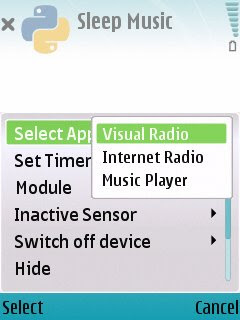
This program is for the person who likes to listen to music while getting sleep, and not have to worry about the music player running all night, if he or she falls asleep. Simply open the program, enter the amount of hours you wish the program to wait until turning off, Music Player and Radio will close at the time we set .
New in this version
1. Now supports Symbian OS 9.3 mobiles also.
2. Auto Keypress: This function will help you to perform particular task or keypress at a given time.
For example if you want to download some files at night time ..you can program your mobile to open the particular application and start Download
3. Now shows Remaining time in the application
4. Some bug fixes
5. Use center key to quickly set the timer
Features
* Timer presets available for 15 , 30 and 60 min
* Also users can enter the time manually
* Now you can set timer for any application
* Application can run in background
* Inactive sensor
* Automatic Switch Off Device
Tested and work with Nokia N82
Python S60 version - 1.4.1 and above - Download Link
Installation Instructions
**Python must be installed in your mobile
Please uninstall previous version if you are getting "update error"
1. Install "sleepmusicv2.0.sis" sis file to your phone memory (or the drive in which python is installed)
if you already installed these modules then no need to install it again

2. Sign the attached "keypress106_unsigned_dev_certfree.SIS" sis file
3. Sign the attached "appswitch103_unsigned_devcertfree.SIS" sis file
4. Sign the attached "misty193_unsigned.SIS" sis file
5. Install the signed files in your phone memory
if the application is not openning then please try to install in memory card
*please uninstall the previous version before installing the new version


READ MORE AND DOWNLOAD

Free Kick : Play Wireless Championship S60v3 240x320


Free Kick Championship is the free kick game you've been waiting for! At last, using only one button, you can shot the greatest free kicks and enjoy replay shots while you advance through the championships and try to reach the top of the ranks!


READ MORE AND DOWNLOAD

Foofa Jumpa S60v3 240x320 Java Game


The time has come for the annual Foofa Cup of the Furthest Foofa!Attention! Attention! Now and until forever, or maybe earlier or later? It commences and will commence, until the wind stops to blow, or Foofac stops to hop, the Great Jump Cup of ?FOOFA JUMPA!!You cannot miss this one and only, worldwide event. The Foofacs of all the colours, gather on their favorite take-offs and fightfor a so-so golden cup. Of course you're not limited only to cheering, but you can take part in the cup yourself! You can jump with your friends and send your score to our server, so it can be compared with the whole world.And please don't ask us what that small furry creature is. They're very fragile when it comes to that kind of questions. You canfind information on Yeti, BigFoot, Sasquatch in every encyclopedia, yet there's not a word on Foofacs. It's more than discrimination, it's a conspiracy! Luckily Foofacs aren't too bright, and their only purpose in life is having fun. The objective of the game is to jump the furthest, and land in the most show-off way. Every style is permitted: ram in, the massacre, bouncy, or coolfeet. It all comes to having a good balance in you flight position and reflex on landing. You have to watch for the wind and surprises, lastly for the cranky judges score.Don't get cought up in the spin and be the one who will get the FOOFA cup.


READ MORE AND DOWNLOAD
eXTReMe Tracker